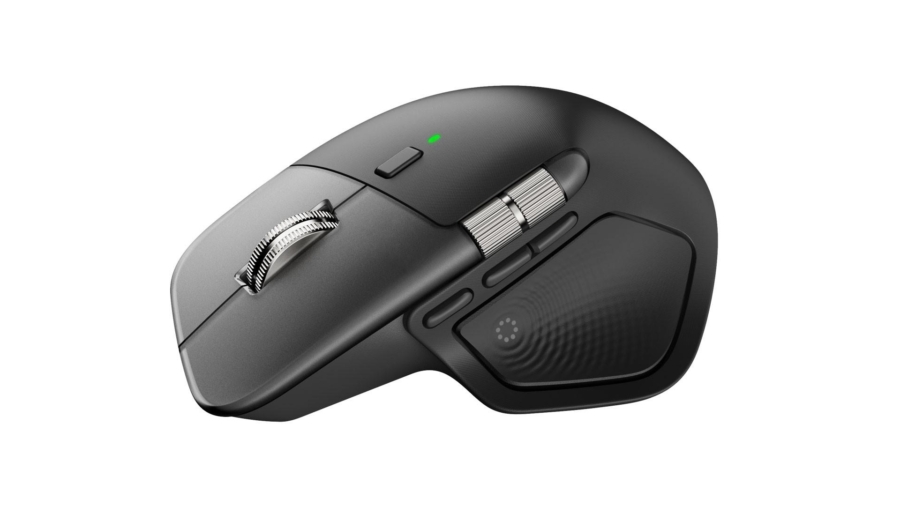
Logitech MX Master 4 Spiel
Would you believe it, if I had said I was in the process of writing a review for MX Master 4 only to find out on the day of publishing Logi Options+ stopped working. I had to scrap most of what I had written to reflect on where Logitech is going with this blunder, and the level of software support we can expect from the manufacturer before the mouse or the keyboard become obsolete.
From MX Master 3s I had, the upgrade is less obvious for the newcomer. The mouse supposedly has better material than 3s which won’t have the iconic plastic wear and tear, but this is an upgrade only the returning customers would appreciate. There are also some minute changes to the contact pads on the bottom. I haven’t tested it myself, but now it is replaceable. More significant changes focus on the buttons themselves and the customizability therein.
Right off the bat, there is a feature Logitech has silently removed from MX Master 4. That is the gesture control by thumb button. The haptic thumb button does not work with any other buttons pressed down; for example, if you were dragging a file using right-click, then pressed the thumb button, it wouldn’t respond. Logitech, on reddit, has responded that the feature request has been made. Though I’m hesitant to believe the firmware update is on the roadmap.
The other issue which has revealed itself yesterday is its reliance on Logi Options+. Normally it wouldn’t be a problem, and my first review was mostly on the subject of it being a nuisance than anything else. What makes MX Master 4 particularly more vulnerable to the case has to do with awkward reliance on Options+, and when it does fail, there seems to be no fallback as far as we learned yesterday. All the basic customization features and actions ring stop working soon as Options+ stop launching. One would imagine Options+ should only be needed when there is something to be changed, not running constantly in the background.
Conclusions: Solid Upgrade from 3s
I’m not sure how else to describe MX Master 4. It offers solid upgrade from what previous MX series, but none of these improvements would be noticeable to someone who is not upgrading from an older device. Logitech’s software division also seems to be losing quality control as of late; I find the design itself to be faulty. The mouse would cease to function properly without the software constantly running in the background. There is also the Electron update Logitech has not addressed yet. All in all, as much as I enjoy using the new mouse and would recommend to other MX users, it makes little to no sense the product suffered a meltdown in less than a year.