Quest to Find Ergonomic Keyboard of Today
Remember Microsoft Sculpt Keyboard? It was legendary in retrospect. It was a tenkeyless design with a detached numpad, yet fully functional as a full-sized keyboard. It didn’t need additional software to set up — it was pure plug and play. I had written simple configurations for Sculpt Keyboards before; it was a testament of what the ergonomic keyboard was capable of.
But nostalgia tends to hide many flaws it also carried. Had it been released in 2026, no doubt I would find the overall choices either hilarious or dysfunctional. The iconic numpad took coin cell battery instead of AAA like the main board did. The wireless dongle was hard-paired to the devices, so losing it would equate to losing the keyboard. What shook me the most were its materials: plastic became brittle, and the palm rest got discolored. Microsoft chose to resign from the game altogether in 2023, rather than play defending champion.
In its absence, other manufacturers did join the “affordable ergonomic keyboard” game. Logitech, with its K860, is one. Microsoft has a successor, which does not have numpad detached anymore. Sculpt Keyboard itself is licensed to Incase, the case company, though I wasn’t lucky enough to get my hands on them. There are mechanical switch variants too. But none of them have stood the test of time, in my opinion. Simply put, finding the right keyboard that is wireless, ergonomic in design, with gentle keypress, is nearly impossible at a reasonable price point.
After going through several Sculpts, I landed on the Logitech ecosystem for its availability. I’ve had hit and miss with Logitech keyboards before, but seeing as it’s priced higher than most entry models, I had high hopes for K860. The tenting, the palm rest, and the natural arm positioning. K860 delivers on the exterior. But as soon as it’s sitting next to a mouse, its gargantuan full-sized presence just destroys the posture — I had to literally break myself out of the most comfortable position to reach the mouse. If only the keyboard had been TKL.
And the worst betrayal were the keys. It’s reminiscent of a broken piano, for lack of a better word. I’m not a keyboard enthusiast, so bear with me on unorthodox explanations. When the key is pressed, there is slight resistance at the end that hints the membrane switch inside. When it is unpressed, the dome returns to its position first, before the scissor can push back the key. It’s like the sticky keys on an old piano that are out of balance. It won’t return to its original position until some proper tuning. And it is hard to type on it. Even the technical specs from Logitech and independent reviews seem to support that it takes more physical force to register a key press. In its pursuit of arm and shoulder ergonomics, Logitech lost sight of hand ergonomics.
My next attempt was the Keychron K15 Max. While the Alice layout had some advantages for reducing shoulder strain, the keyboard ultimately lacked the ergonomic shape — tented or wavelike — that helps reduce wrist pain. It’s apparently quite common in the industry to include only certain parts of “ergonomic” design to look different, but fall short elsewhere. No doubt Keychron would have felt great for the fingers; I doubt it would have helped the wrists.
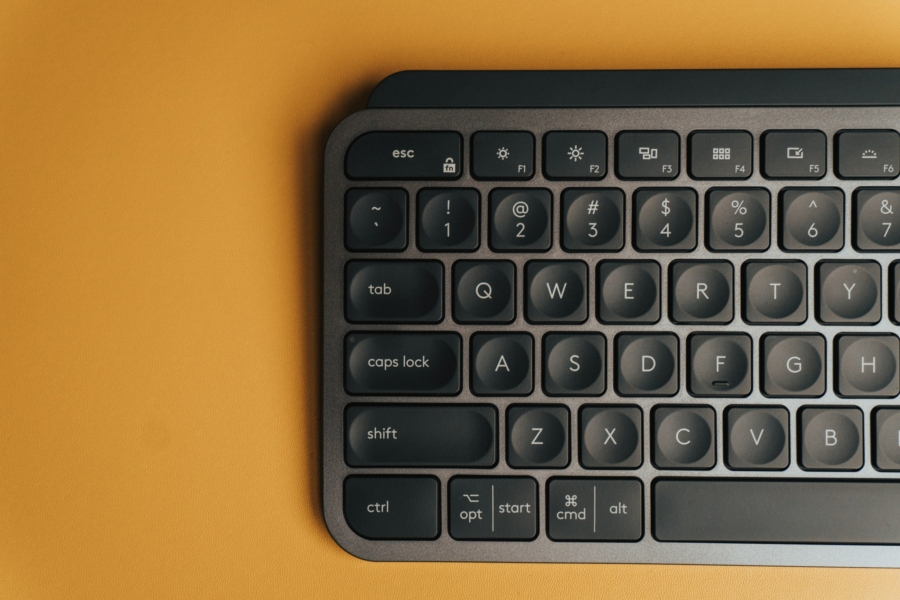
I decided to cut my losses here after more searches for Sculpt-inspired keyboards. One would imagine PC component price hikes to stay contained, but keyboards weren’t free from inflation either. After all the shipping and customs, I retreated to my old MX Mechanical Mini once more. In the end, I believe Logitech produced what is most Logitech-like in its domain, only this time the mechanical variant. It’s not the greatest, but it’s a keyboard that is joyous to type on. It couldn’t carry me through hours at a time, but it’s small enough to shift around looking for a better fit. Sometimes, there just isn’t the one, especially on a constrained budget.